Camera moves
Camera Movement Prompts for AI Video, in Plain Words
AI video camera movement prompts are plain words in your scene sentence, like slow push-in, orbit, tracking shot or handheld. Here is what each one does and how to ask for it.
A still camera records a moment. A moving camera tells you how to feel about it. Moving closer says pay attention. Pulling away says look how small we are. Circling says this person matters.
In vidmi, you ask for it with the words you already use, in the sentence you type into “Describe your scene”. No jargon required, though the classics work too. Your words are direction, not a guarantee, and the camera moves around one face per video.
Where camera words go
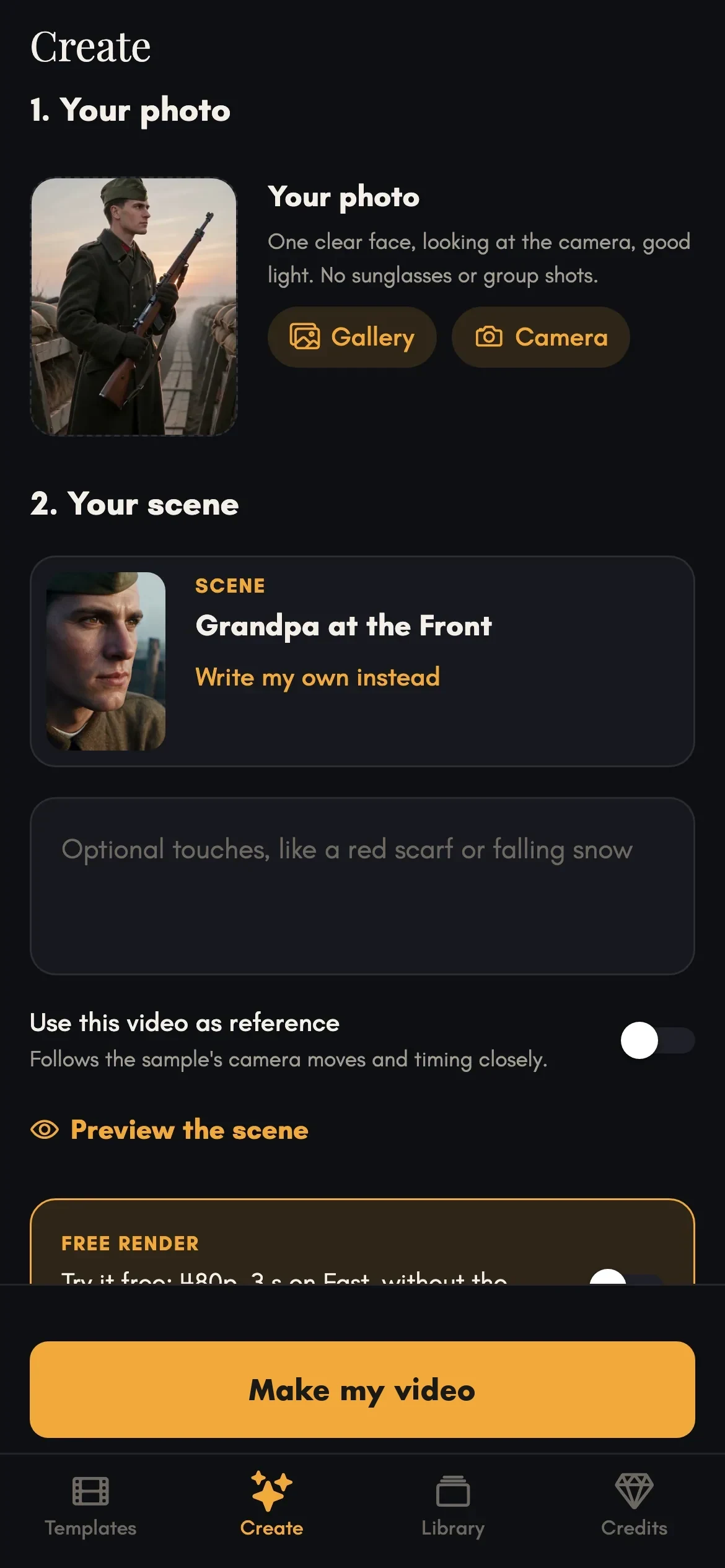
Open the Create tab and find “Your scene”. Write who, where, and what happens. Then add how the camera moves, usually at the end:
me walking on the Moon, the Earth rising behind me, the camera slowly pulls back to reveal the empty plain
One sentence, one move, placed after the action. That is the whole pattern.
A plain-words glossary
Slow push-in
Say: “the camera slowly moves closer to my face” Use it when: the moment is emotional or tense. A soldier on watch at dawn. A singer before the first note.
Pull back
Say: “the camera pulls back to reveal the whole street” Use it when: the place is the punchline. Start on the face, end on a fjord, a skyline, a crater.
Orbit
Say: “the camera circles slowly around me” Use it when: you want a hero moment, like a figure on a rooftop or at the prow of a ship.
Tracking shot
Say: “the camera follows beside me as I walk” Use it when: your subject is moving through a place. Walking down a lantern-lit street, crossing a dusty main street at noon. (The tracking shot entry has the film term.)
Handheld
Say: “shaky handheld camera, close behind me” Use it when: you want energy and urgency. A chase, a busy market, a crowd at a festival.
Rise up
Say: “the camera rises slowly above me” Use it when: you want an ending. Lifting away from a farmer in a field at dusk feels like a final frame.
Low angle
Say: “seen from below, looking up at me” Use it when: you want someone to look powerful. Great for heroes, captains, and grandparents.
Locked off
Say: “the camera stays still” Use it when: the action should do all the work. A café table, a cup of coffee, the street going by.
Three habits to try
Add “slowly” or “fast”. Speed is part of how a move feels. A slow orbit reads as grand, a fast one as urgent.
Match the move to the length. A video runs 3 to 10 seconds, so keep to one simple move. In a 7 s or 10 s film there is more room for it.
Keep the sentence short. “The camera follows me” is easier to picture than a sentence where the camera and the person both do three things.
Want the camera from a template?
Every template comes with a sample film, and each sample has its own camera. If you like how it moves, you don’t have to describe it. On the template screen, turn on “Use this video as reference”. Your film then “follows the sample’s camera moves and timing closely, instead of only its description.”
It costs more credits than leaving it off, and it isn’t available on free videos. For how it works from your side, see Use This Video as Reference.
Check before you spend
Not sure your sentence says what you mean? Tap “Preview the scene” under the scene box. You’ll see, in words, what the film will show before you spend anything.
Try one tonight
Pick a photo, then type:
me playing saxophone on a small stage in a smoky jazz bar, the camera slowly circles around me
If you want to compare, make the same scene again with “the camera pushes in on my face” and watch the two side by side.
For the rest of the sentence, start with how to write AI video prompts, or copy more sentences from photo to video prompts. For the film language behind these moves, read Camera Moves Explained for Non-Filmmakers.
Questions
Where do I type a camera move?
In "Your scene" on the Create tab, inside the sentence you write. On a template, add it in the "Customise" box, or switch on "Use this video as reference" to borrow the sample's own camera.
Does the camera always do exactly what I write?
No. Think of your words as direction, not a guarantee. If a film comes out differently, change a few words and make it again; each new film is a new video.
Can I ask for two moves in one video?
You can write two, but a video is 3 to 10 seconds long, so one clear move is the simplest place to start.