For athletes
AI Video for Athletes: See the Win Before Race Day
AI video for athletes: a short video of you in the moment you train for, made from one photo and a sentence you write. A pictured goal, not real race footage.
The film you play in your head
Every athlete has one: the last turn of the track, the wall at the end of the pool, the walk to the ring with the lights coming up.
vidmi lets you watch it. You add one photo of your face, write the moment in a sentence, and get a 3 to 10 second film of it with you in it, free to try on your iPhone.
If you already use visualization before a race, this gives the picture a screen. It is a pictured goal, not footage of a real race, and not a highlight reel.
You cannot upload your own clips: your face goes into a scene vidmi makes, not into a video you already have. Each video has one face, so a team makes one each, and a small vidmi mark stays on every video.
If you are after a finish line video or a hype video for yourself, this is the way in. For the wider idea of putting your face into a scene, see face swap video.
Write the moment you train for
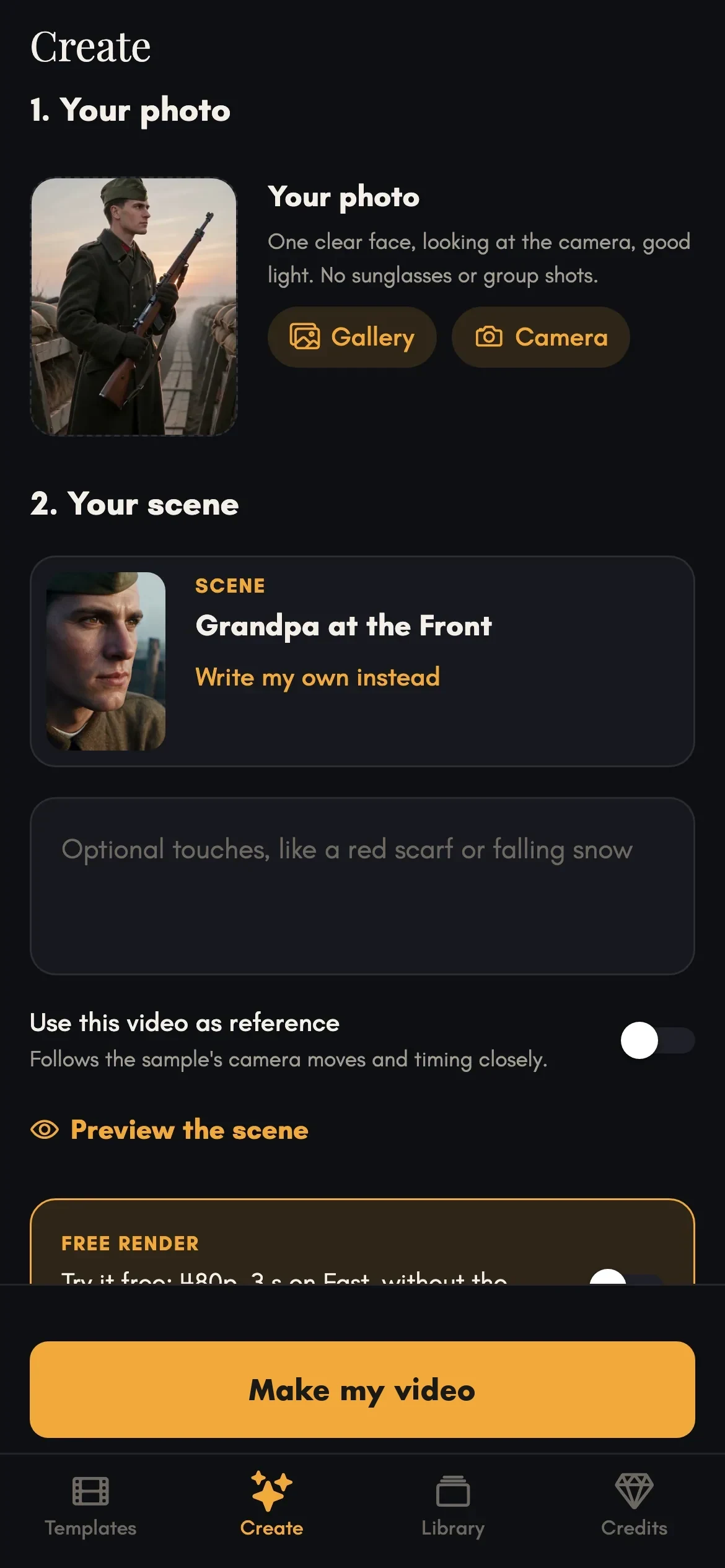
Open the Create tab and type the scene in a sentence under “2. Your scene”. If a ready-made scene is showing there, tap “Write my own instead” first.
A marathon motivation video starts the same way as any other. Here are four you could try:
- “me breaking the tape at a marathon finish line at sunrise, arms up, crowd on both sides”
- “me touching the wall at the end of an outdoor pool and looking up, out of breath”
- “me walking out to the ring under arena lights, hood up, gloves on”
- “me cresting a mountain road on a race bike at dawn, sitting up and raising one fist, fog in the valley below”
Keep it to one moment. A single clear picture makes a stronger film than a whole race in one line. The scene writing guide shows how to pick details that matter, and write your own scene covers the screen itself.
Before you spend anything, tap “Preview the scene”. It shows you, in words, what the film will show. For more starting points, see the track and field ideas and the boxing ideas.
The night before
Make the film the evening before the race and save it to Photos. Watch it at the hotel. Watch it again at the start area, with your headphones in.
Sound helps here. “Sounds only” gives you the scene itself, like the crowd and the wind, with no voices. “Silent” leaves room for the song you always warm up to.
Start with the right photo. The app asks for “One clear face, looking at the camera, good light. No sunglasses or group shots.” So skip the photo from the last race with the shades on.
The post after
Race week can have two posts in it. One goes up before the start, and one goes up after.
Before: the film, with a caption that says where you are racing on Sunday. After: your real photos from the day, with the film beside them as the picture you carried to the start line. Say it is an AI video, not race footage.
Tap “Make another” to start a new video with the same scene, then change the details. “Share” opens the iPhone share sheet, so the film goes to the apps you already use, such as TikTok or Instagram Reels.
Under “Shape”, 9:16 is the default, 16:9 suits a club screen, and 1:1 suits the feed. The guide to sharing on Instagram Reels walks through the post.
For the team, one face at a time
vidmi makes a film from one face, so there is no group shot. A relay squad or a fight team can still work together.
Agree on one scene and have each person make their own film with it. Four runners, four clips, the same finish line. Post them back to back on the morning of the meet.
For coaches: a milestone clip for one client
A client hits a milestone and you send a thumbs-up. You can send a short film instead, starring them, made from one photo.
Say a client finishes a first 10K after months of training in the dark. Type “my client crossing a 10K finish line at sunrise, arms up, a small crowd clapping”, add their photo, and send the film when they finish.
The same goes for a first pull-up or a hundredth session, with sentences from the gym ideas.
Starting a 30-day challenge on Monday? Make one of yourself at the trailhead, looking up at the peak, and post it with the start date. On the last day, post the summit version.
Three rules keep it honest:
- One video per client. Each film has one face, so a group means one film each.
- Use a photo you have the right to use.
- The clip pictures a goal. It is not footage of a result, and it will not show a client’s real form or a true before and after.
What to expect
vidmi is free to try, and the app says how: “Try it free: 480p, 3 s on Fast.” After that you buy credits in the app, and every video shows what it uses before you tap.
Fast is “Ready in about a minute and a half.” You can leave the screen while it works, and vidmi tells you when your video is ready.
Voices in a scene are part of the scene, and you cannot script what anyone says. There are no words on screen, so put names and times in your caption. For more sports scenes to copy, see sports prompts, sport by sport, or AI sports video starring you.
Questions
Can I put my whole team in one film?
No. vidmi works from one photo with one face. For a team video, each teammate makes a film with the same scene, and you post them together.
Can I use footage from my real race?
No. vidmi starts from a photo, not a video. You get a new short film of the scene you describe, starring the face in your photo.
Will the crowd make noise?
It can. Under "Sound", choose "Voices + sounds" or "Sounds only" and the film carries the sounds of the scene, such as a crowd. Choose "Silent" for no sound track.
How long is the film?
You choose 3, 5, 7, or 10 seconds. A film is a moment, not a whole race.
Will watching it make me faster?
vidmi makes no claim about results. It makes a short film of the moment you picture, one you can play on your phone. It is not a training method.
Can my coach make one for me?
Yes. A coach can make one film per athlete from a photo they have the right to use, and send each one through the iPhone share sheet.