Credits
vidmi Credits: How Paying for a Video Works
Credits are how you pay for videos in vidmi. You buy them in the app, one time and with no subscription, and every video shows its cost before you tap.
One currency, no surprises
A credit is vidmi’s in-app currency. Every paid film is priced in credits, and you always see that price before you commit.
You buy credits in packs inside the app, through Apple’s in-app purchase. They are one-time purchases, not a subscription: nothing renews, and you pay only for what you make. Apple handles the payment, so vidmi never sees your card details. If you are comparing apps on that point, the no subscription page says it in full.
Where to see your balance
Your balance shows in two places: on the Credits tab at the bottom of the screen, where you can also buy more, and in the footer of the Create tab, right beside the main button.
See the cost before you tap
You never guess what a film will cost. The Create tab shows it twice.
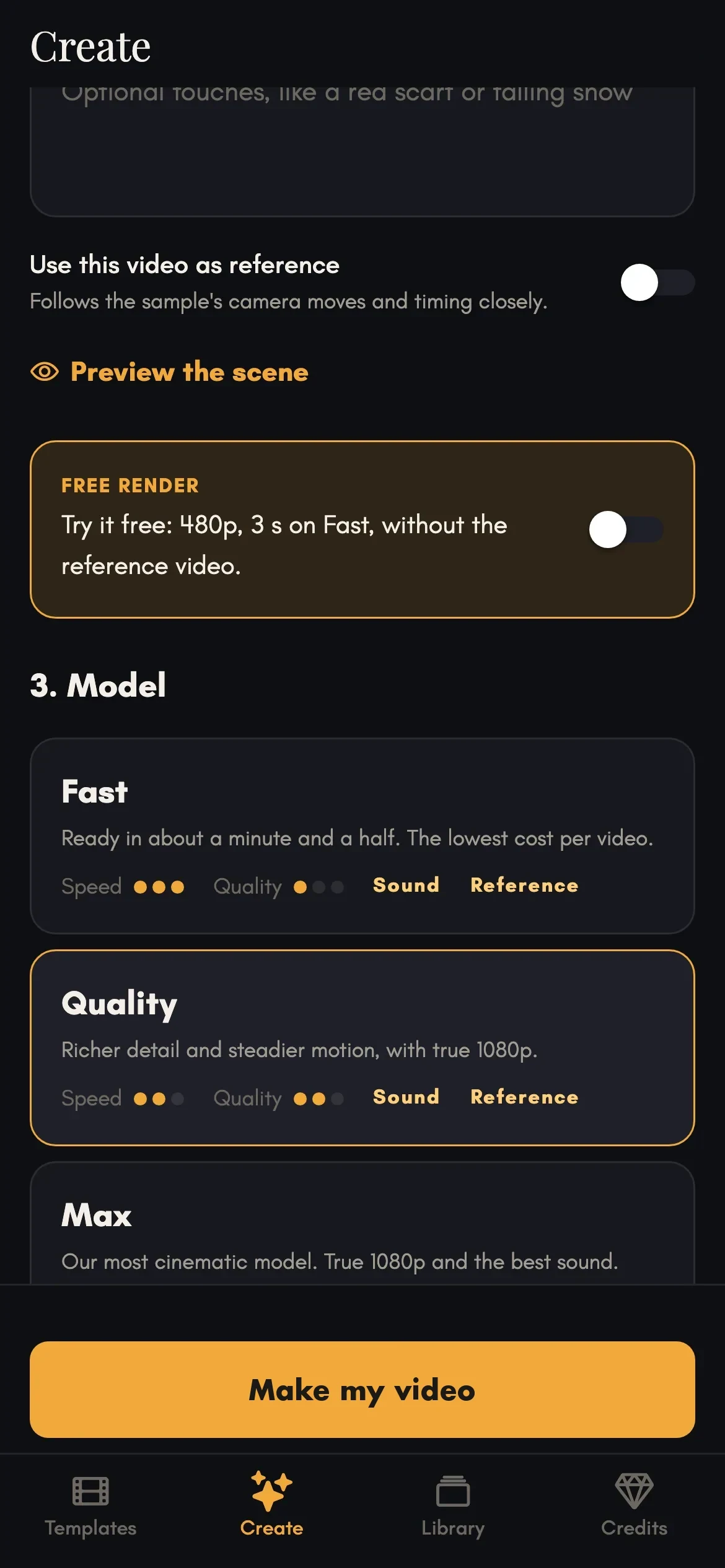
On every model card. In “3. Model”, Fast, Quality and Max each show their credit cost for the settings you have chosen right now. Change a setting and the numbers update.
On the main button. When everything is ready, it reads “Make my video · N credits”. That number is the whole cost of the film.
Your balance sits in the footer next to that button, so you can see what you have and what you are about to use in one glance.
What changes the cost
These choices change how many credits a film uses. Each one is yours to make, and the cards show the result as you make it.
The model
Fast, Quality and Max run from quick to cinematic. Fast has “The lowest cost per video.” Quality brings richer detail and steadier motion. Max is the most cinematic, with the best sound, and takes the longest. Read more in Fast, Quality or Max.
The length
Films run 3, 5, 7 or 10 seconds. Length is one of the settings the cost depends on, so look at the cards again after you change it. See video length.
The resolution
Choose 480p, 720p or 1080p. 720p is the default. Resolution is part of the cost too, and the cards update when you switch. See resolution.
The reference switch
On a template, “Use this video as reference” makes your film follow the sample’s camera moves and timing closely. It costs more than leaving it off, and it is not available on a free video, so turn it on when the camera work is the point. More in reference video.
A smart way to spend
Try an idea small, then make it big. Film the Smoky Jazz Bar on Fast at 3 seconds to see your face on stage. Once you love it, tap “Make another” and go to Max, 10 seconds, 1080p.
Two more habits help. Tap “Preview the scene” to read what the film will show before you spend anything. And use a clear, well-lit photo of one face, which gives your first take the best start. The save credits guide has more.
When you run low
If your balance is short, the button tells you exactly how much: “Get credits · N needed”. Tap it and the Credits tab opens, with your balance and the packs on offer. Buy a pack, then go back to the Create tab to make your film. Step by step help is in Buy credits.
If something goes wrong
Sometimes a video doesn’t come out. When that happens, your credits return to your balance automatically and the app says so: “Your N credits are back in your balance.” If it happens to you, video failed has the steps.
And if an idea can’t be made at all, the app tells you before anything is charged: “Let’s try a different idea … You haven’t been charged.”
Start free
You don’t need credits to begin. The app’s own line is “Try it free: 480p, 3 s on Fast.” Pick a template or write your own scene, choose the shape and the sound, and see your face in a film before you buy anything. See how to try vidmi free.
Where your credits live
Credits belong to the iPhone that bought them. There is no account and no sign-up, so your balance, free videos and Library all stay on that device. On the same iPhone they are normally still there after you delete and reinstall the app, but no step in the app moves them to a new one. Save the videos you care about to Photos. For prices and packs, see Pricing.
Questions
Is vidmi a subscription?
No. Credits come in one-time purchases inside the app. Nothing renews, and nothing is charged until you choose to buy.
Do credits move to a new iPhone?
No. Credits stay on the iPhone that bought them. There is no account and no sign-in, so there is nothing that carries them to another device.
What happens to my credits if a video fails?
They come back on their own. The app tells you "Your N credits are back in your balance." You don't have to ask.
Do I need credits to try vidmi?
Not at first. You can try vidmi free, at "480p, 3 s on Fast", and a new user with no credits starts on a free video automatically.