Resolution
480p, 720p or 1080p: AI Video Resolution in vidmi
vidmi is a 1080p AI video generator that also makes 480p and 720p. Pick how sharp your video looks, from a quick text to the family TV.
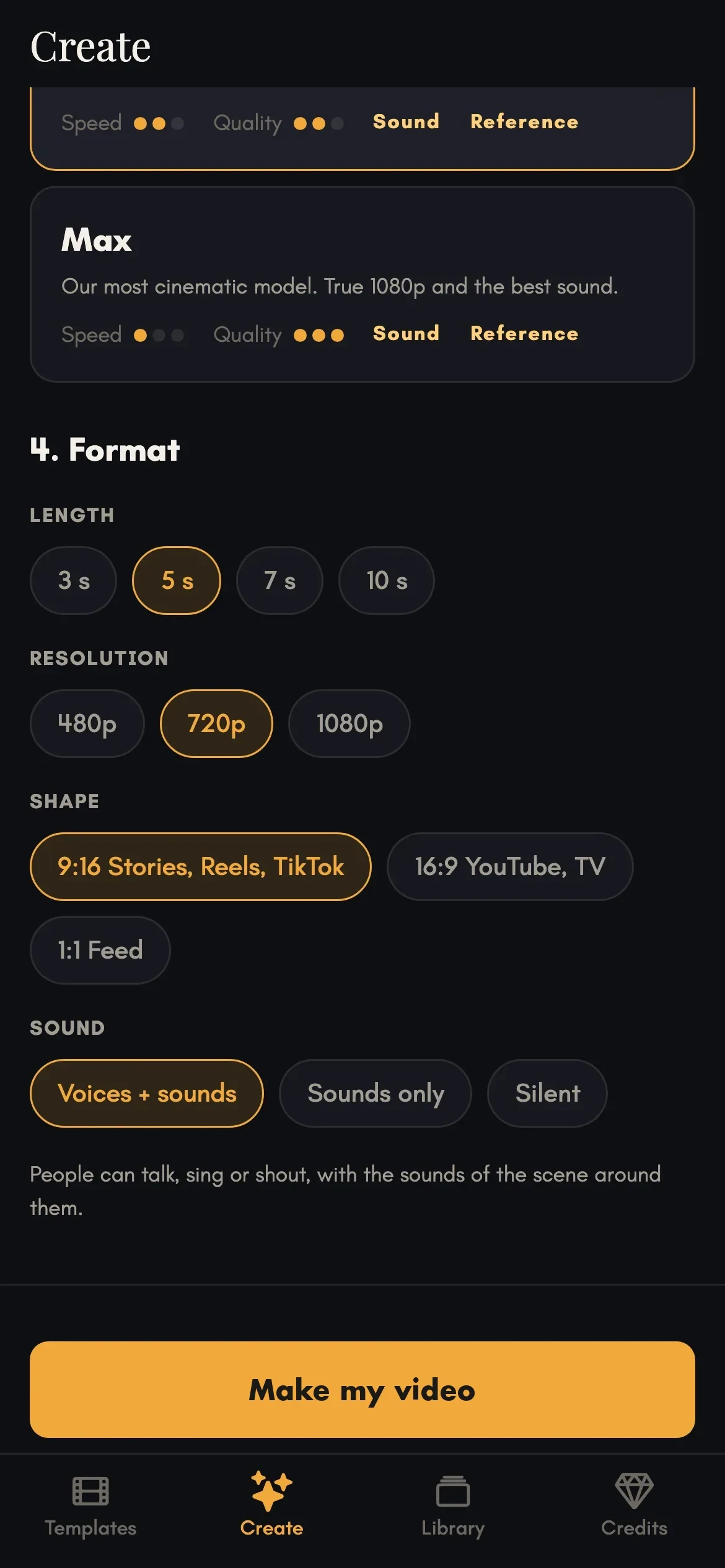
Three levels of sharp
Resolution lives in “4. Format” on the Create tab, next to Length, Shape and Sound. Three chips, one tap each. 1080p is the top of the range: there is nothing sharper in the app. For the quality side, see Fast, Quality or Max, since Quality and Max are the models built for true 1080p.
480p. Light and quick. Plenty for a phone screen in a group chat, and the resolution of every free video.
720p. The default. A middle step between sharpness and wait time.
1080p. Full HD and the sharpest choice. The most detail, and the one to pick when the film will be played large or watched more than once.
What changes on screen
Resolution is the amount of detail in every frame. You see it in the small things: textures, edges, the glow around a light. Higher resolution shows more of that detail, and lower resolution looks softer, most of all up close or on a big screen.
Resolution is about sharpness only. It does not decide the scene or what happens in it.
When 1080p is worth it
The big screen. Playing a film on a TV for the whole room? Every pixel gets stretched across the wall, so start with 1080p. Here is how to play it on a TV.
The keepsake. Grandpa standing watch in a trench at dawn is not a film you make twice. Make it in 1080p, save it to Photos, and keep the best version.
The one you will play for a crowd. A film headed to a birthday slideshow is watched larger and longer than a reply, so the extra detail is easier to see.
When lower is the smart choice
Trying an idea. You wrote “me singing jazz in a smoky bar” and want to see if it lands. Make it at 480p, then remake the one you love at a higher resolution.
A quick reply. A reaction for a friend, watched once on a phone, looks right at 480p or 720p.
Trying more versions. A lighter video takes less time to make, so you can try the same scene a few ways.
Pair it with the right model
Resolution and model work together. Quality and Max are made for sharp output; the app describes both as “true 1080p”. For a film you will put on a TV or keep for years, choose 1080p on Quality or Max.
Fast is the quickest and the lowest cost per video, which suits trying ideas at 480p or 720p. See Fast, Quality or Max for what each model brings.
What it means for credits and time
Each model card shows its credit cost for your current settings, and the main button shows the final number before you tap, so the choice is always in front of you. More on credits.
1080p videos also take longer to make. You can leave the screen while yours films, and vidmi will notify you when it is ready. If a result looks soft, why a video looks blurry can help.
A simple rule
- Draft at 480p.
- Share at 720p.
- Keep at 1080p.
For help choosing for a specific video, read the guide to choosing a resolution. Not sure what the numbers mean? What is 1080p explains them, and video length covers the other half of the Format section.
Questions
What resolution does vidmi use if I don't change anything?
720p. Tap 480p or 1080p in the "Resolution" row to switch.
What resolution are free videos?
480p. Free videos are "480p, 3 s on Fast", so you can see your face in a scene before you choose anything sharper.
Is there anything above 1080p?
No. 1080p is the sharpest option in the app.
Can I check the resolution of a film I already made?
Yes. It appears under every finished film, as in "5 s · 720p · 9:16", and on each video in your Library.