The vidmi mark
The vidmi Mark on Every Video
Every vidmi video carries the vidmi mark, a small "vidmi" in the bottom-right corner, whether it is free or paid. It stays, and there is no setting to remove it.
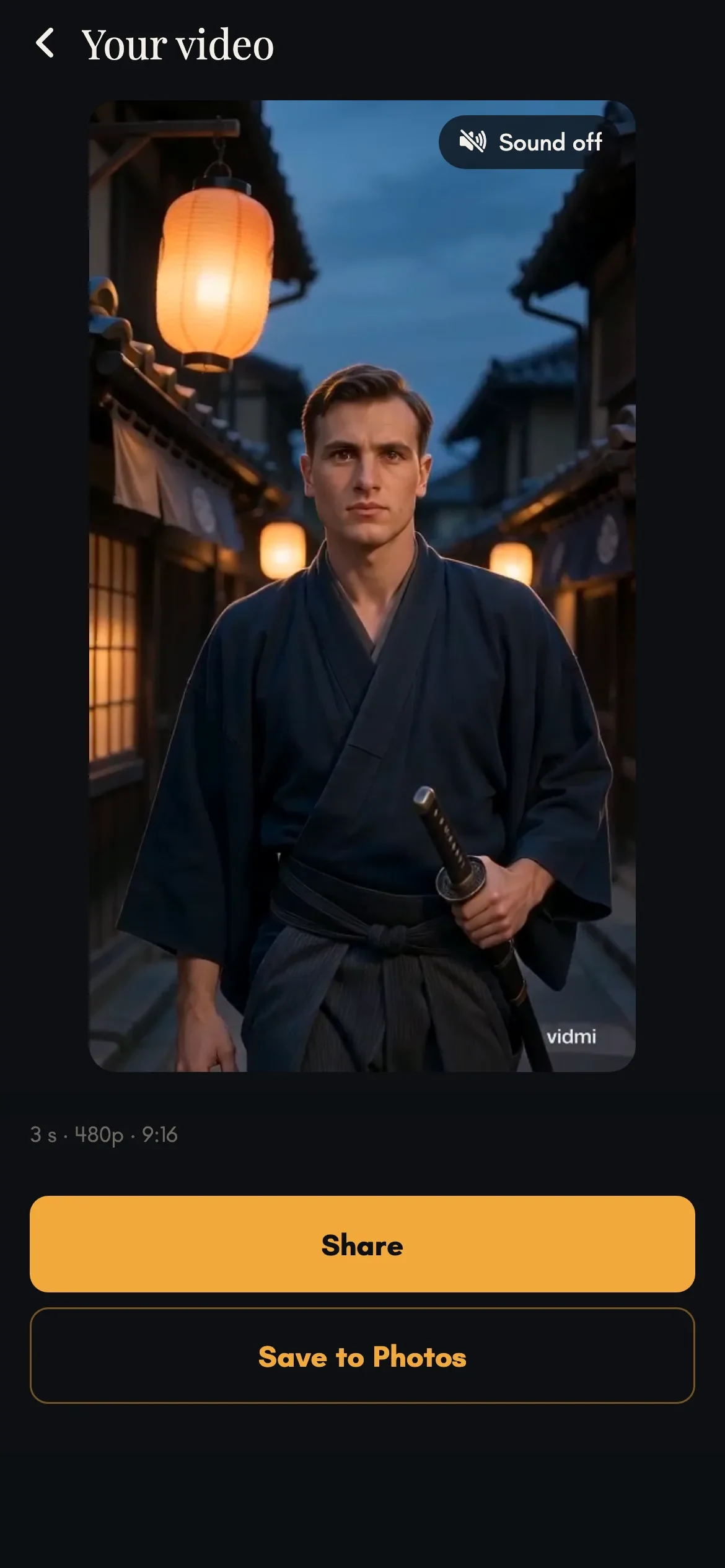
Small, and always there
Yes, vidmi videos have a watermark. Look at the bottom-right corner of any finished video and you will see one word: “vidmi”. That is the vidmi mark, and the app has no setting to remove it.
It is small, and it sits in the corner of the frame, not across the middle. Grandpa still stands watch in the trench at dawn. The astronaut still walks across the gray dust with the Earth on the horizon. The mark waits in the corner.
Every video has it. Free or paid, 3 seconds or 10, 480p or 1080p, Fast, Quality, or Max. It is in the same corner in all three shapes: 9:16, 16:9, and 1:1.
What a watermark on a video is
A watermark is a mark placed on a video to say where it came from. Many sit in a corner, where they can be seen without covering the picture.
Whether an AI video has a watermark depends on the app that made it. In vidmi, every video does: a single word, always in the bottom-right corner, saying the video was made in vidmi.
What the mark tells a viewer
A vidmi video stars a real face in a scene that never happened. Your grandfather was not on a Viking longship, and your best friend never played a smoky jazz bar.
The mark is there to say where the video came from. It helps a clip of your sister at a Paris café in the 1920s read as a film you made, not a trip she took. It helps keep a film of your dad as a nineteenth-century farmer from being mistaken for a lost family recording.
That matters most once a video leaves your hands. You know what you made. The person it is forwarded to next may not.
What the mark does not do
It is one word. Someone who has never heard of vidmi may not know what it means, so the mark does not replace telling people what they are watching.
It is also separate from any label the app you post to offers for AI-made video. If that app has one, turn it on yourself. The guide on how to label an AI video when you post has caption lines you can copy.
It travels with the video
The mark is on the video itself. When you tap “Share” and send it to a group chat, or post it to Stories, Reels, or TikTok, the mark goes along. When you tap “Save to Photos”, the saved copy has it too.
Share opens the iPhone share sheet, and Save to Photos puts the video in your camera roll. If you trim or crop it later in another app, keep the corner in the frame.
Three habits for sharing
The mark is one part of sharing well. A few simple habits do the rest:
- Use photos you have the right to use. Your own face, or a loved one who would be glad to see the film.
- Say what it is. A short line like “made this of Grandpa with AI” sets the scene for everyone watching.
- Think about the audience. A film made for the family group may not belong on a public feed.
To see how vidmi thinks about the faces in your films, visit Safety and our likeness policy. For the longer story behind the corner mark, read why we mark every video.
Questions
Can I remove the mark?
No. Every film carries it, and there is no setting to turn it off.
Do free videos get a bigger mark?
No. Free and paid films carry the same small mark in the same place.
Does the mark stay when I share or save my film?
Yes. The mark is on the video itself, so it is there whether you tap "Share" or "Save to Photos".
Does it change with the shape of my film?
It sits in the bottom-right corner whether you choose 9:16, 16:9, or 1:1.