4th of July video
Fourth of July AI Video With Fireworks
Make a 4th of July video from one face photo, with a hometown parade, a porch at sunset or fireworks over the lake. It shows the day for the cookout chat, but it cannot write or say "Happy 4th."
A film for the cookout chat
The Fourth has its own pictures. A flag on the porch rail. A folding chair at the curb before the parade. The whole dock going quiet right before the first firework.
You can star in any of them. Add one face photo, type one sentence, and vidmi makes a short film of that scene.
It’s patriotic, and it’s personal. Not a stock clip of fireworks. Your dad, your sister, you.
Two honest limits. A film shows one face, so each person gets their own. And it cannot put words like “Happy 4th of July” on the screen or have anyone say them. Add the greeting in the caption when you post it, using our caption guide.
How to make one
There’s no ready-made scene for this holiday, so you’ll write it. That takes about a sentence.
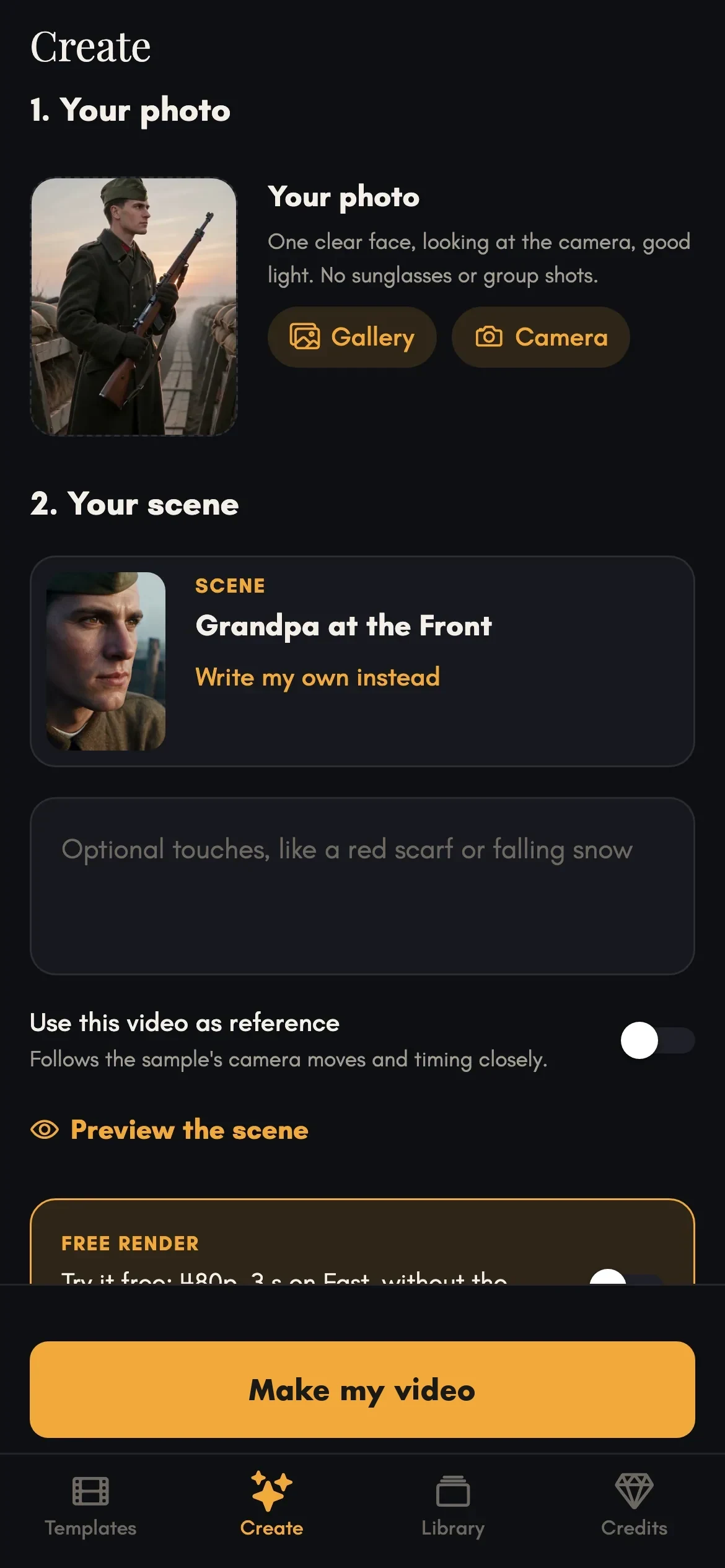
- Open the Create tab. Under “1. Your photo”, tap “Gallery” or “Camera” and add a face photo.
- Under “2. Your scene”, describe what you want to see. If a template is selected, tap “Write my own instead”. Our guide to writing a scene helps.
- Pick a model and a format. The button at the bottom shows what the film costs in credits before you tap.
- Make your video. You can leave the screen. A notification tells you when it’s ready.
New to vidmi? Try it free: 480p, 3 s on Fast.
Three scenes to start with
Each of these is a sentence you could type.
- Fireworks over the lake. “me paddling a red canoe across a still lake at dusk, fireworks bursting over the far shore”
- The hometown parade. “my sister twirling a baton at the front of a small-town parade, flags along the street, neighbors lining the curb”
- The front porch. “my dad in a rocking chair on a white front porch at sunset, a paper flag on the rail, a pitcher of lemonade on the table, fireflies in the yard”
Then make it yours. A specific sentence can feel like your family and not anyone’s.
- Swap the baton for a vintage fire truck.
- Put the canoe on a river, or the fireworks over a ballpark.
- Add what they would really wear: the straw hat, the plaid shirt, the old ball cap.
- Set the year. A 1950s main street reads very differently from this summer.
- Make it funny with one small, specific absurdity, like your dad fanning a tiny grill with a giant paper fan.
Not sure how a sentence will come out? Tap “Preview the scene” to read what the film will show before you spend anything.
There are more ready-to-type sentences in our Fourth of July prompts. Heading out of town for the long weekend? Try the summer road trip ideas.
Pick the format for where it’s going
Think about who’s watching before you tap.
- Group chat or Stories. Keep “9:16 Stories, Reels, TikTok”. It fills a phone screen.
- The TV at the cookout. Choose “16:9 YouTube, TV” and play it wide.
- A feed post. “1:1 Feed” gives you a square.
For length, 5 seconds is the default. Go to 7 or 10 if you want the fireworks to have room.
For sound, “Sounds only” is a good fit: the sounds of the scene, no voices. “Voices + sounds” adds people. “Silent” has no sound track.
Give everyone a part
One film, one face. That’s a feature at a family cookout.
Collect a clear photo of each person ahead of time. The app’s own advice works: “One clear face, looking at the camera, good light. No sunglasses or group shots.”
Then cast the day:
- Grandpa leads the parade.
- Your aunt watches the fireworks from the dock.
- Your brother works the grill in a 1950s backyard, apron on, smoke rising.
- You get the porch swing at sunset.
Send them one at a time and let the chat guess who’s next. More ways to do this with relatives are on the family video page.
Share it and keep it
When your film is ready, tap “Share” to open the iPhone share sheet and send it to Messages, WhatsApp, or wherever your family talks. Tap “Save to Photos” to keep it on your phone.
Posting for the relatives who couldn’t make it this year? See how to share a video on Facebook.
Every film carries a small vidmi mark in the bottom-right corner. Your films also show up in the Library tab, newest first, so the whole cast is in one place.
Looking for scenes for the rest of the season? Read the summer video ideas. New to all this? Start with photo to video.
Questions
Is there a Fourth of July template?
Not among the ready-made scenes. You write this one yourself. On the Create tab, describe your scene in your own words, in a single sentence.
Can I put the whole family in one film?
No. A film starts from one photo of one face. Make a film for each person and send them as a set.
Will it look exactly like my lake or my street?
No. You describe a scene and get a film of that scene, starring the face in your photo. Name the details that matter, like a wooden dock or a brick main street.
Can I use a photo of a relative?
Use photos you have the right to use. A clear, well-lit photo of one face, looking at the camera, is the right starting point.