Tokyo ideas
Tokyo AI Video Prompts: Neon, Ramen Counters and Quiet Streets
Ten prompts for an AI Tokyo video: neon, steam, and quiet side streets. Copy one into vidmi, add one face photo, and get a short video of you in the city.
10 scenes to try.
Copy one, open vidmi and paste it into “Describe your scene” on the Create tab. If a scene is already chosen there, tap “Write my own instead” first. Then add a photo.
- 01
The big crossing in the rain
Me crossing a huge Tokyo intersection at night in the rain, clear umbrella in hand, neon signs reflecting on the wet street.
Rain plus neon is the look. Say both.
- 02
Six-seat ramen counter
Me at a tiny ramen counter with six stools, steam rising from the bowl, lifting the noodles and grinning.
Pick "Sounds only" to keep it to the scene's own sounds, with no voices.
- 03
Train past Mount Fuji
My mom in the window seat of a fast train, Mount Fuji sliding past outside in clear morning light.
Try "16:9 YouTube, TV" so the mountain has room.
- 04
Cherry blossoms on the canal
My grandma walking under cherry blossoms along a Tokyo canal in spring, petals falling around her, paper lanterns overhead.
- 05
Lantern alley
Me walking down a narrow alley of tiny restaurants at night, red lanterns glowing, warm light in every doorway.
- 06
Vending machine at midnight
Me buying a drink from a glowing vending machine on a quiet street at midnight, a bicycle parked beside it.
A calm scene. 5 s lets it breathe.
- 07
Claw machine win
Me in a bright arcade full of claw machines, pulling out a plush toy and holding it up like a trophy.
Quick and funny. 3 s is enough.
- 08
City lights from above
My dad at a tall observation window at dusk, the whole city lighting up below him, turning to smile.
- 09
Karaoke room
Me singing in a small karaoke room with my eyes closed, microphone in hand, colored lights turning on the walls.
With "Voices + sounds", people in the scene can sing, though not a song you pick.
- 10
Red gates in the morning
Me walking through a long row of red shrine gates early in the morning, sunlight coming through the trees.
Tokyo, tonight
Some cities look like a film before anyone points a camera. Tokyo is one. Wet pavement under neon. A counter with six stools. A train gliding past a mountain.
You do not need a plane ticket for any of it. Copy a sentence into “Describe your scene”, add one photo of one face, and get a 3 to 10 second video starring that face. The city is a new scene made from your sentence, not footage of the real place. It is an iPhone app, free to try, with no account, and the ten ideas above give you the sentence.
Type it your way
On the Create tab, the scene box says “Describe your scene in your own words”. That is all there is to it. Write it the way you would tell a friend.
A good Tokyo sentence has three parts:
- Who. “Me”, “my mom”, “my grandma”. One person, one face.
- Where, exactly. Not just “Tokyo”. A ramen counter. An arcade. A window seat.
- The light. Neon in the rain, morning sun through trees, a vending machine glowing at midnight.
Add one small action and you are done. Lifting the noodles. Opening the umbrella. Holding up the prize.
Loud Tokyo, quiet Tokyo
The city has two speeds, and both make good films.
Loud is the crossing, the arcade, the karaoke room. Lots of color, lots of people, lots of sound. Choose “Voices + sounds” and let the scene be noisy.
Quiet is the vending machine on an empty street, the shrine gates at seven in the morning, the mountain going by outside the train. Choose “Sounds only” to keep the scene to its own sounds, with no voices.
Make one of each. They can read like two days of the same trip.
One to try
Take a selfie in good light, looking at the camera. Then type: “Me at a tiny ramen counter with six stools, steam rising from the bowl, lifting the noodles and grinning.”
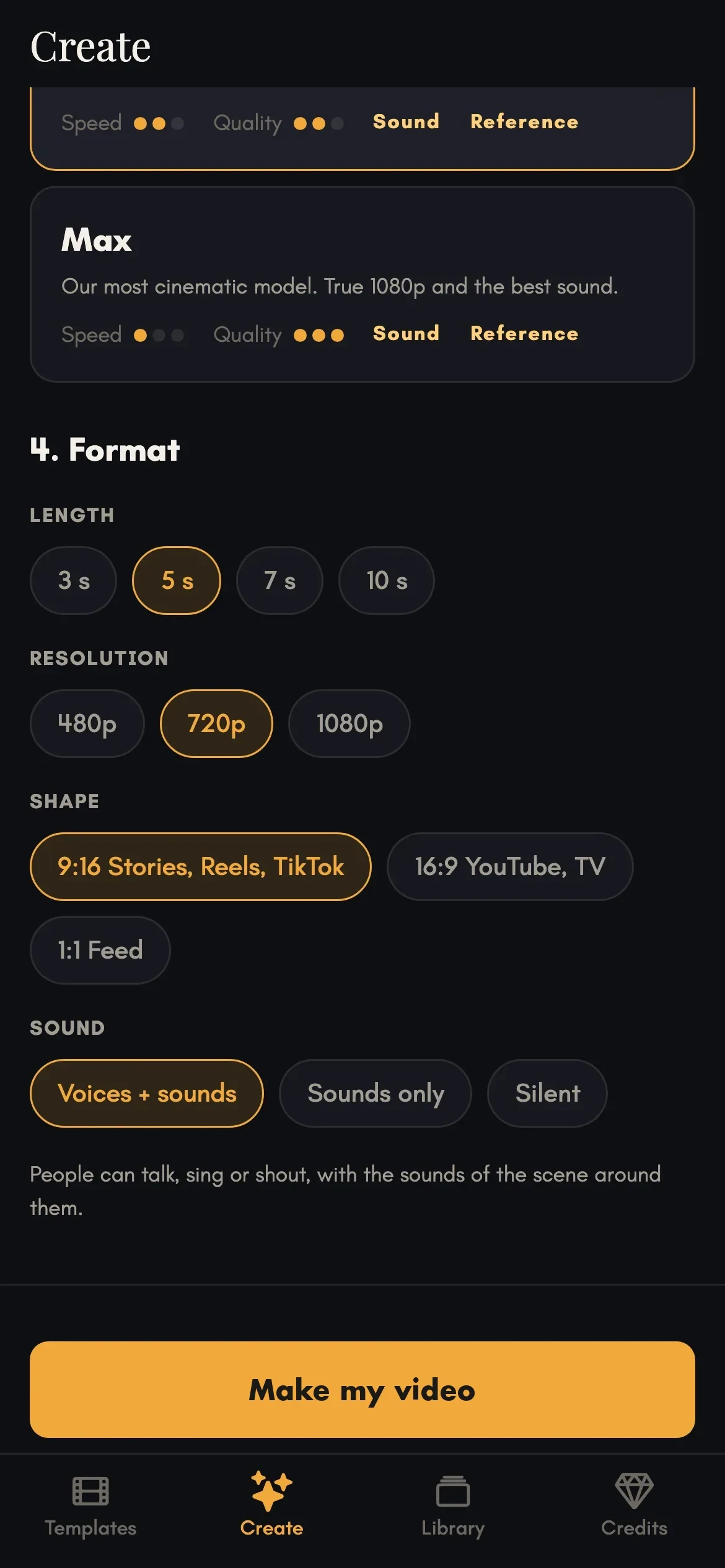
Leave the shape on “9:16 Stories, Reels, TikTok” and pick 5 s. You can leave the screen while it films. The app tells you when it is ready, and “Save to Photos” puts it next to your real travel pictures.
Before the trip, or after it
Planning a visit? Make the film first and send it to whoever is coming with you. It is a fun way to say the tickets are booked.
Already been? Put the person who stayed home into the scene. Your dad at the observation window. Your grandma under the blossoms. The travelers page has more ways to use a film like this, and the place scene ideas cover other cities and coasts.
More Japan, more neon
For an older Japan, with wooden streets and lanterns, head to the samurai ideas. For a city of the future with even more glow, try the cyberpunk city scenes. To see how one photo becomes a clip, read about the AI video generator. Everything else lives under all scene ideas.
Questions
Is this different from the samurai scenes?
Yes. These are present-day Japan, with trains, arcades, and ramen. For old wooden streets and lanterns at dusk, see the samurai ideas.
Can I choose the song in the karaoke scene?
No. With "Voices + sounds", people in the scene can talk, sing, or shout, but you cannot pick the words or the song.
Do I have to write my own scene?
Yes, for Tokyo. The ready-made scenes on the Templates tab are not set in modern Tokyo, so copy one of these sentences into the Create tab.